
Find blockers
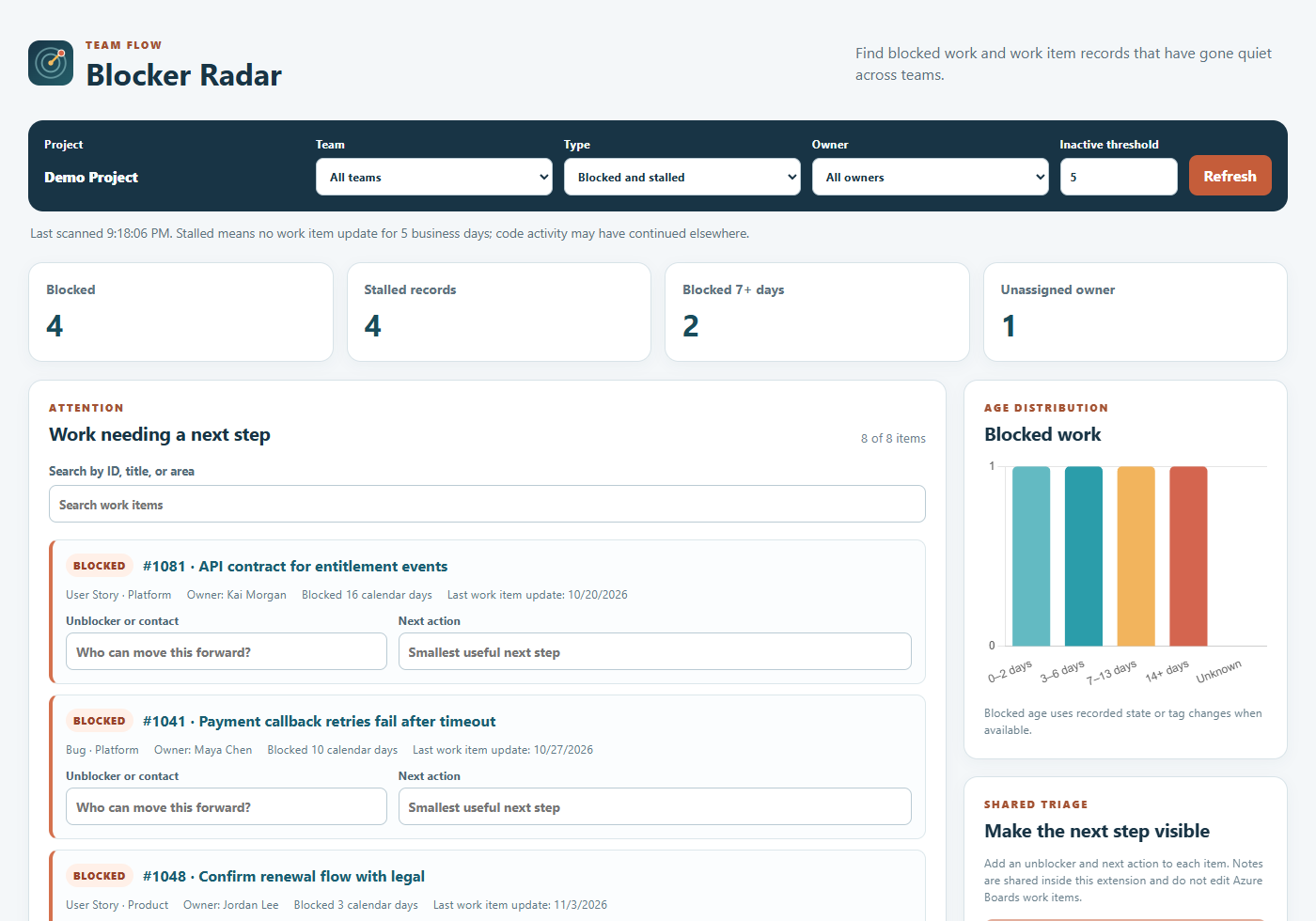
Blocker Radar finds items in a Blocked state or with an exact Blocked tag and groups them by team area and owner.
STANDALONE AZURE BOARDS TOOL · FIRST PASS
See explicit blockers across teams, how long they have been blocked, and which work item records have gone quiet. Give each item a contact and a next action in one shared triage view.
FROM SIGNAL TO ACTION
Blocker Radar finds items in a Blocked state or with an exact Blocked tag and groups them by team area and owner.
Choose a business-day threshold for work items without updates. The signal describes work item activity; development may have continued in code or conversation.
Add an unblocker or contact and a specific next action. Save the notes for the team without editing Azure Boards work items.
FIRST PASS
Blocker Radar is a separate tool and will be included with Smaller Chunks Suite Additional Tools. The intended standalone Marketplace price is $0. Its private Testing listing is still being prepared.